Node shortcuts, named
Alt+S, Alt+P, Alt+L, Ctrl+D, Shift+D and more appear with their Resolve names, so students learn the shortcut and the action together.
Record your Color page class. Every Alt+S shows “Add Serial Node”, zooms glide in on your clicks, mistakes are marked, and the finished timeline lands in Resolve without a render.
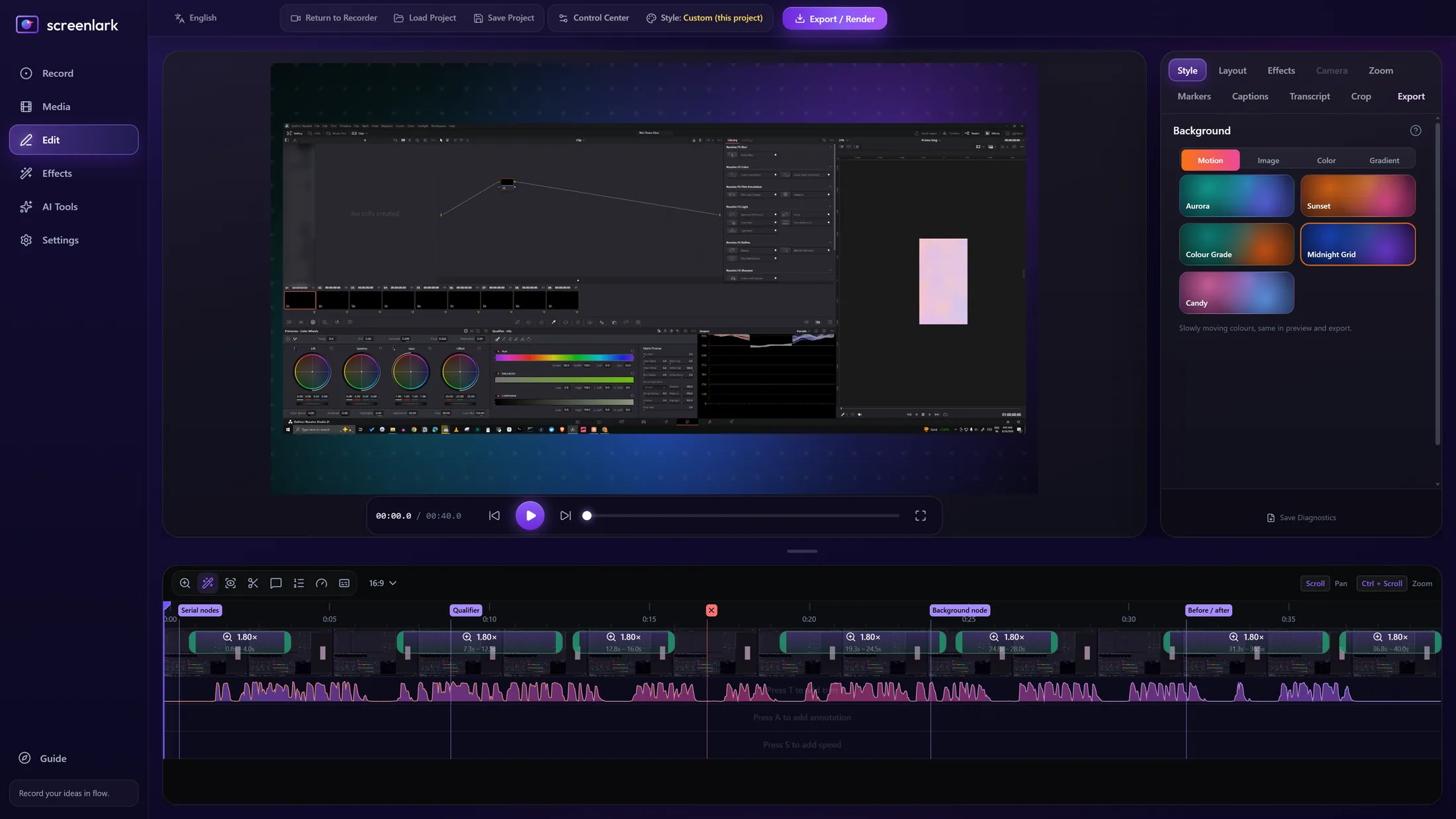
Alt+S, Alt+P, Alt+L, Ctrl+D, Shift+D and more appear with their Resolve names, so students learn the shortcut and the action together.
Panels in Resolve are tiny on a phone. Click-zoom and the panel pop-out magnifier make them readable.
Press Ctrl+Alt+Shift+M right after a slip. In the editor, press Cut and the retake is gone.
Export an .fcpxml with markers (.edl) and captions (.srt) and open it in Resolve. No render first.
DaVinci mode writes H.264 at a constant frame rate with AAC 48 kHz, at source resolution, so the clip imports without audio drift.
Crash-safe video and recovery, tested on a real 3-hour class.
This is the Resolve map Screenlark ships with. Unmapped shortcuts show as custom, and you name them in the app.
Turn on DaVinci Resolve mode, pick the frame rate, and save the Resolve timeline. You get three files that open together.
Import the .fcpxml in Resolve with File → Import → Timeline. Test it on your Resolve version during the beta and tell us what to improve.
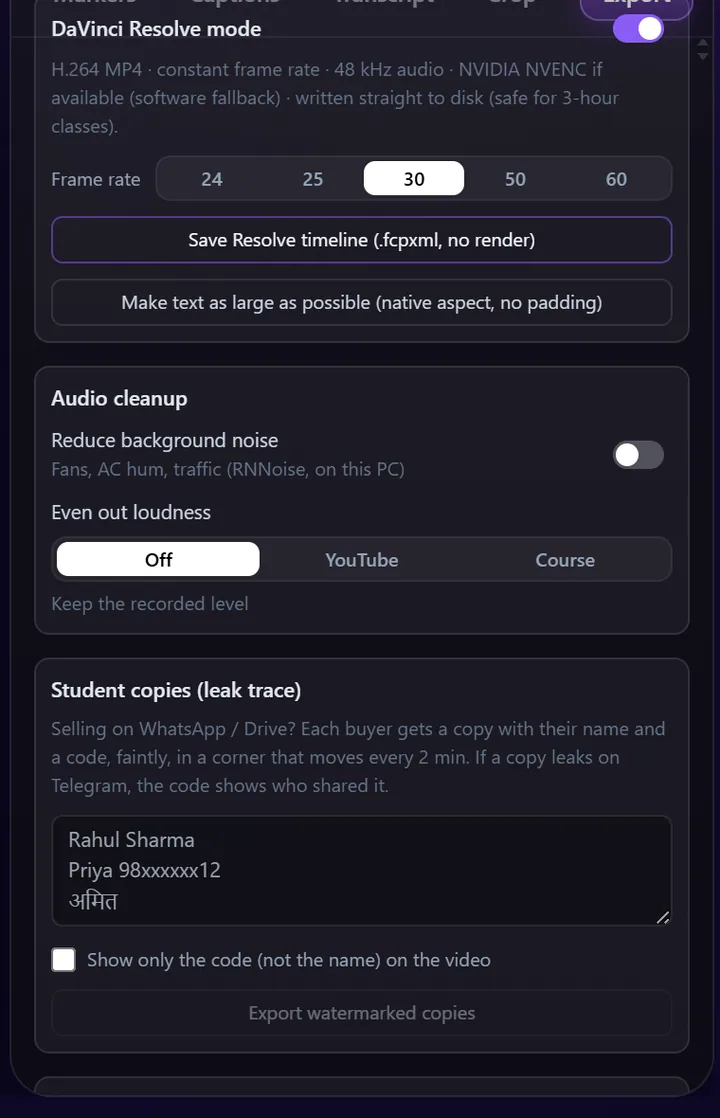
Screenlark records the screen, so it does not depend on your Resolve edition. The .fcpxml timeline is imported with Resolve’s normal Import Timeline.
No. The bar and the pencil button are kept out of the recording.
On our test PC (RTX 2060, 3440×1440) a 3-hour class recorded with about 3% CPU and steady memory. NVENC is used when an NVIDIA GPU is present. Your PC may differ, which is exactly what the beta is for.
It is being tested. Choose “Mac” in the beta form to hear first.
Join the first teachers’ beta. We will email you the installer and a short start guide.
Windows 10 / 11 · macOS soon · The email is used only for beta updates. Privacy policy